Flyweight 패턴
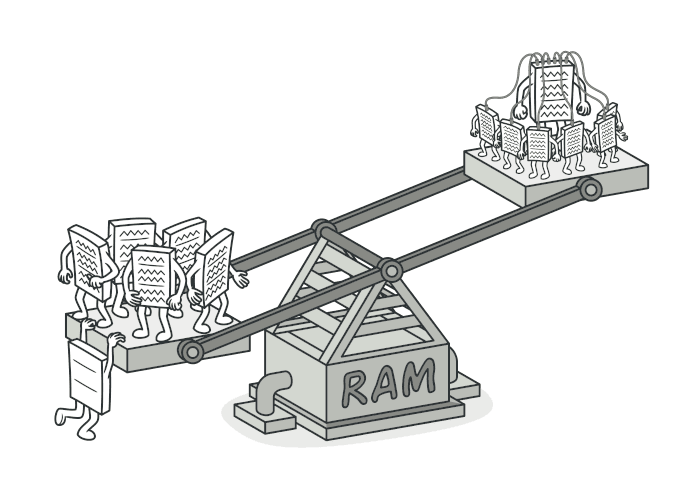
공유를 통해 대량의 객체를 메모리 효율적으로 다루는 Flyweight 패턴을 알아봅니다.
#나무 100만 개를 어떻게 렌더링하지?
오픈 월드 게임을 만든다고 해보자.
지도에 나무가 100만 개 있다. 각 나무 객체가 이런 데이터를 가지고 있다면?
class Tree {
  // 공통 데이터 (모든 소나무가 같은 값)
  mesh: Mesh; // 3D 모델 — 약 5MB
  texture: Texture; // 텍스처 — 약 2MB
  barkColor: string; // 나무껍질 색상

  // 개별 데이터 (나무마다 다른 값)
  x: number;
  y: number;
  scale: number;
  rotation: number;
}
나무 하나에 약 7MB. 100만 개면?
7TB. 램이 7테라바이트 필요하다.

하지만 잘 생각해보면, 100만 개의 나무가 전부 다른 모델과 텍스처를 쓰는 건 아니다.
소나무 50만 개는 같은 모델, 같은 텍스처를 사용한다. 위치와 크기만 다를 뿐이다.
공통 데이터를 공유하면 메모리를 극적으로 줄일 수 있다. 이것이 Flyweight 패턴이다.
visible: false
Flyweight란?
객체의 공유 가능한 상태(intrinsic state)를 분리하여 여러 객체가 공유하게 하고, 고유한 상태(extrinsic state)만 개별적으로 저장하는 패턴
핵심 개념 두 가지,
- Intrinsic State (내재 상태): 객체 간에 공유 가능한 불변 데이터 → 3D 모델, 텍스처
- Extrinsic State (외재 상태): 객체마다 고유한 데이터 → 위치, 크기, 회전
visible: false
코드로 보기
Before: 모든 데이터를 각 객체가 보유
class Tree {
  constructor(
    public mesh: Mesh,       // 5MB — 모든 소나무가 같음
    public texture: Texture, // 2MB — 모든 소나무가 같음
    public color: string,    // 같은 종이면 같음
    public x: number,
    public y: number,
    public scale: number,
  ) {}
}

// 소나무 100만 개 = 7MB × 1,000,000 = 7TB 💀
const trees = Array.from({ length: 1_000_000 }, () =>
  new Tree(loadMesh("pine.obj"), loadTexture("pine.png"), "#2D5016", ...)
);
After: Flyweight 적용
// Flyweight — 공유 데이터 (Intrinsic State)
class TreeType {
  constructor(
    public readonly name: string,
    public readonly mesh: Mesh, // 5MB
    public readonly texture: Texture, // 2MB
    public readonly color: string,
  ) {}

  draw(x: number, y: number, scale: number) {
    // mesh와 texture를 사용해서 (x, y) 위치에 scale 크기로 그림
    console.log(`${this.name}을 (${x}, ${y})에 ${scale}배로 렌더링`);
  }
}

// Flyweight Factory — 이미 있으면 재사용, 없으면 생성
class TreeTypeFactory {
  private static types = new Map<string, TreeType>();

  static getTreeType(
    name: string,
    mesh: Mesh,
    texture: Texture,
    color: string,
  ): TreeType {
    const key = `${name}-${color}`;

    if (!this.types.has(key)) {
      console.log(`새 TreeType 생성: ${name}`);
      this.types.set(key, new TreeType(name, mesh, texture, color));
    }

    return this.types.get(key)!;
  }

  static get typeCount() {
    return this.types.size;
  }
}

// Context — 개별 데이터 (Extrinsic State)
class Tree {
  constructor(
    private type: TreeType, // 💡 공유 객체에 대한 참조 (8 bytes)
    private x: number,
    private y: number,
    private scale: number,
  ) {}

  draw() {
    this.type.draw(this.x, this.y, this.scale);
  }
}
사용
// 나무 종류는 몇 가지뿐
const pineType = TreeTypeFactory.getTreeType(
  "소나무",
  pineMesh,
  pineTexture,
  "#2D5016",
);
const oakType = TreeTypeFactory.getTreeType(
  "참나무",
  oakMesh,
  oakTexture,
  "#4A7023",
);

// 100만 개의 나무 생성 — 하지만 TreeType은 2개뿐!
const forest: Tree[] = [];

for (let i = 0; i < 500_000; i++) {
  forest.push(
    new Tree(
      pineType,
      Math.random() * 10000,
      Math.random() * 10000,
      0.8 + Math.random() * 0.4,
    ),
  );
}
for (let i = 0; i < 500_000; i++) {
  forest.push(
    new Tree(
      oakType,
      Math.random() * 10000,
      Math.random() * 10000,
      0.8 + Math.random() * 0.4,
    ),
  );
}

console.log(`나무 수: ${forest.length}`); // 1,000,000
console.log(`TreeType 수: ${TreeTypeFactory.typeCount}`); // 2
메모리 계산
- Before: 7MB × 1,000,000 = 7TB
- After: 7MB × 2(TreeType) + 32bytes × 1,000,000(Tree) = 14MB + 32MB = 46MB
7TB → 46MB. 약 15만 배 메모리 절약.

visible: false
웹 개발에서의 Flyweight
가상 스크롤 (Virtual Scroll)
10만 개의 리스트 아이템이 있을 때, 전부 DOM에 렌더링하면 브라우저가 죽는다.
화면에 보이는 20개만 실제 DOM으로 만들고, 스크롤하면 같은 DOM 요소를 재사용해서 내용만 바꾼다.
// React 가상 스크롤 (개념)
function VirtualList({ items, itemHeight, containerHeight }) {
  const visibleCount = Math.ceil(containerHeight / itemHeight);
  const [scrollTop, setScrollTop] = useState(0);
  const startIndex = Math.floor(scrollTop / itemHeight);

  // 💡 DOM 요소 수는 항상 visibleCount + buffer개뿐
  const visibleItems = items.slice(startIndex, startIndex + visibleCount + 5);

  return (
    <div onScroll={(e) => setScrollTop(e.currentTarget.scrollTop)}>
      {visibleItems.map((item, i) => (
        <div key={startIndex + i} style={{ top: (startIndex + i) * itemHeight }}>
          {item.name}
        </div>
      ))}
    </div>
  );
}
문자열 인터닝
JavaScript 엔진은 이미 Flyweight를 내부적으로 쓰고 있다.
const a = "hello";
const b = "hello";
console.log(a === b); // true — 같은 메모리를 참조

// 엔진이 동일한 문자열을 하나만 저장하고 공유한다 (string interning)
visible: false
언제 사용하면 좋을까?
-
매우 많은 수의 유사한 객체가 필요할 때
- 게임의 파티클, 지도의 마커, 텍스트 에디터의 글자
-
객체의 대부분의 상태를 외부로 추출할 수 있을 때
- 공유 가능한 부분과 고유한 부분이 명확히 구분될 때
-
메모리가 제한된 환경에서
- 모바일 앱, 임베디드 시스템
visible: false
장단점
| 장점 | 단점 |
|---|---|
| 메모리를 극적으로 절약 | 코드 복잡도 증가 |
| 공유 데이터 변경 시 모든 객체에 반영 | extrinsic state 관리가 필요 |
| 공유 상태는 반드시 불변이어야 함 | |
| 소수의 객체에는 오히려 오버헤드 |
visible: false
정리하며
Flyweight는 공유를 통해 메모리를 절약하는 패턴이다.
핵심을 한 줄로 요약하면,
"같은 건 한 번만 만들고 나눠 써라"
웹 개발에서 직접 Flyweight를 구현할 일은 많지 않지만, 이 패턴의 원리를 이해하면 React의 가상 DOM, 가상 스크롤, 메모이제이션 등이 왜 효율적인지 더 깊이 이해할 수 있다.
다음 글에서는 Structural 패턴의 마지막, 객체에 대한 접근을 제어하는 Proxy 패턴을 알아보겠다.
visible: false
#Reference
Refactoring Guru - Flyweight
refactoring.guru