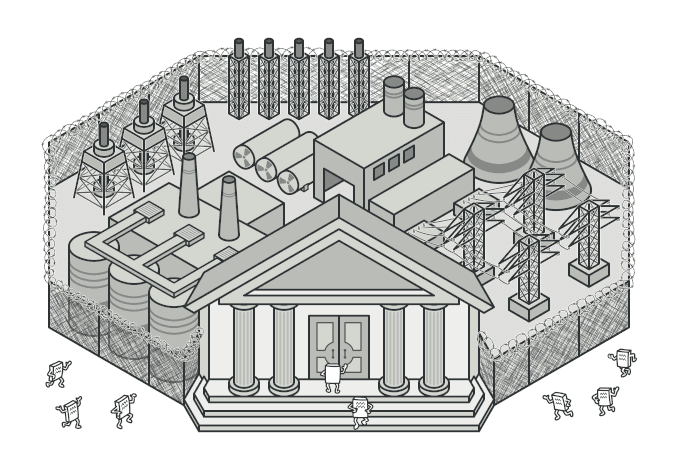
Facade 패턴
복잡한 서브시스템을 간단한 인터페이스 뒤에 숨기는 Facade 패턴을 알아봅니다.
#홈시어터 리모컨
영화를 보려면 뭘 해야 하는지 생각해보자.
- TV 전원 켜기
- 사운드바 전원 켜기
- TV 입력 소스를 HDMI로 변경
- 사운드바 입력 소스를 HDMI ARC로 변경
- 블라인드 내리기
- 조명 어둡게
- 넷플릭스 앱 실행
매번 이걸 하나씩 한다고?

스마트 리모컨의 "영화 모드" 버튼 하나로 이걸 다 처리할 수 있다면?
이것이 Facade 패턴이다. 복잡한 시스템을 하나의 간단한 인터페이스 뒤에 숨기는 것.
visible: false
Facade란?
복잡한 서브시스템에 대한 간단한 인터페이스를 제공하는 패턴
"파사드"는 건물의 정면(외관)이라는 뜻이다. 건물 안이 아무리 복잡해도 밖에서 보면 깔끔한 외관만 보인다.
핵심은 복잡한 내부를 알 필요 없이 쉽게 사용할 수 있게 해주는 것이다.
visible: false
코드로 보기
문제: 주문 처리의 복잡함
쇼핑몰에서 주문이 들어오면 이런 일들이 일어난다.
// 재고 확인
const inventory = new InventoryService();
const isAvailable = await inventory.checkStock(productId, quantity);

// 결제 처리
const payment = new PaymentService();
const payResult = await payment.processPayment(userId, amount, cardInfo);

// 재고 차감
await inventory.decreaseStock(productId, quantity);

// 배송 생성
const shipping = new ShippingService();
const shipment = await shipping.createShipment(userId, address, productId);

// 이메일 알림
const notification = new NotificationService();
await notification.sendOrderConfirmation(userId, orderId);

// 포인트 적립
const loyalty = new LoyaltyService();
await loyalty.addPoints(userId, Math.floor(amount * 0.01));

// 분석 이벤트 기록
const analytics = new AnalyticsService();
await analytics.trackPurchase(userId, productId, amount);
이 코드가 주문 버튼을 누르는 모든 곳에 복붙되어 있다면?
하나의 서비스가 바뀔 때마다 모든 곳을 수정해야 한다.
Facade 적용
class OrderFacade {
  private inventory = new InventoryService();
  private payment = new PaymentService();
  private shipping = new ShippingService();
  private notification = new NotificationService();
  private loyalty = new LoyaltyService();
  private analytics = new AnalyticsService();

  async placeOrder(input: {
    userId: string;
    productId: string;
    quantity: number;
    amount: number;
    cardInfo: CardInfo;
    address: Address;
  }) {
    // 1. 재고 확인
    const isAvailable = await this.inventory.checkStock(
      input.productId,
      input.quantity,
    );
    if (!isAvailable) {
      throw new Error("재고가 부족합니다");
    }

    // 2. 결제
    const payResult = await this.payment.processPayment(
      input.userId,
      input.amount,
      input.cardInfo,
    );
    if (!payResult.success) {
      throw new Error("결제에 실패했습니다");
    }

    // 3. 재고 차감
    await this.inventory.decreaseStock(input.productId, input.quantity);

    // 4. 배송 생성
    const shipment = await this.shipping.createShipment(
      input.userId,
      input.address,
      input.productId,
    );

    // 5. 알림 발송
    await this.notification.sendOrderConfirmation(
      input.userId,
      payResult.orderId,
    );

    // 6. 포인트 적립
    await this.loyalty.addPoints(input.userId, Math.floor(input.amount * 0.01));

    // 7. 분석
    await this.analytics.trackPurchase(
      input.userId,
      input.productId,
      input.amount,
    );

    return {
      orderId: payResult.orderId,
      trackingNumber: shipment.trackingNumber,
    };
  }
}
사용
// Before: 7개의 서비스를 직접 다뤄야 함
// After: 한 줄
const orderFacade = new OrderFacade();
const result = await orderFacade.placeOrder({
  userId: "user-123",
  productId: "prod-456",
  quantity: 2,
  amount: 50000,
  cardInfo: myCard,
  address: myAddress,
});

console.log(`주문 완료! 주문번호: ${result.orderId}`);
클라이언트는 OrderFacade.placeOrder() 하나만 알면 된다. 내부에서 7개의 서비스가 어떻게 상호작용하는지는 몰라도 된다.
visible: false
우리가 이미 쓰고 있는 Facade
사실 Facade는 가장 자연스럽게 사용하는 패턴 중 하나다.
jQuery
// jQuery 이전: 브라우저마다 다른 API
if (window.XMLHttpRequest) {
  xhr = new XMLHttpRequest();
} else if (window.ActiveXObject) {
  xhr = new ActiveXObject("Microsoft.XMLHTTP");
}
xhr.open("GET", url, true);
xhr.onreadystatechange = function () { ... };
xhr.send();

// jQuery Facade
$.get(url, callback);
Next.js의 API Routes
// 서버 설정, 라우팅, 미들웨어 등의 복잡함을 숨김
export async function GET(request: Request) {
  const users = await db.user.findMany();
  return Response.json(users);
}
Express 서버 설정, CORS, 파싱 등을 Next.js가 Facade로 감춰준다.
React의 useState
// 내부적으로는 Fiber 트리, 큐, 스케줄러 등이 복잡하게 동작하지만
// 사용자는 이것만 알면 된다
const [count, setCount] = useState(0);
visible: false
Facade vs 그냥 함수 하나 만드는 것?
"그냥 placeOrder() 함수 만들면 되는 거 아니야?"
맞다. 사실 간단한 경우라면 함수 하나로 충분하다.
Facade가 별도의 클래스로 의미 있는 경우는,
- 서브시스템 의존성을 캡슐화해야 할 때 (DI 등)
- 여러 Facade 메서드가 서브시스템을 공유할 때
- 서브시스템 교체 가능성이 있을 때
그게 아니라면 함수 하나로도 충분히 Facade의 역할을 한다.
visible: false
언제 사용하면 좋을까?
-
복잡한 서브시스템을 간단하게 사용하고 싶을 때
- 여러 서비스를 조합하는 비즈니스 로직
-
서브시스템과 클라이언트 사이의 결합을 줄이고 싶을 때
- 클라이언트가 서브시스템의 변경에 영향받지 않도록
-
서브시스템을 레이어로 분리하고 싶을 때
- 각 레이어의 진입점으로 Facade 제공
visible: false
장단점
| 장점 | 단점 |
|---|---|
| 복잡한 시스템을 단순하게 사용 | Facade가 모든 것을 아는 "God Object"가 될 수 있음 |
| 클라이언트와 서브시스템의 결합도 감소 | 추가 추상 레이어 |
| 서브시스템 변경의 영향을 최소화 |
visible: false
정리하며
Facade는 복잡한 것을 간단하게 보여주는 패턴이다.
핵심을 한 줄로 요약하면,
"복잡한 건 안에 숨기고, 밖에는 간단한 버튼만 보여줘라"
사실 좋은 API를 설계한다는 것 자체가 Facade를 만드는 것이다.
내부가 아무리 복잡해도 사용하는 사람은 쉽게 쓸 수 있어야 한다.
다음 글에서는 메모리를 효율적으로 관리하는 Flyweight 패턴을 알아보겠다.
visible: false
#Reference
Refactoring Guru - Facade
refactoring.guru