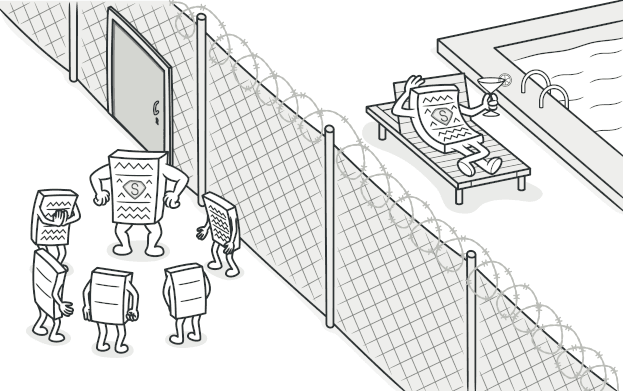
Proxy 패턴
객체에 대한 접근을 제어하는 대리인, Proxy 패턴을 알아봅니다.
#대리인을 세워라
회사에서 CEO한테 직접 보고하는 건 부담스럽다.
그래서 비서가 있다. 비서는 CEO 대신 일정을 관리하고, 불필요한 미팅을 걸러주고, 중요한 것만 전달한다.
비서가 CEO를 대리하는 것이다. CEO의 기능을 그대로 제공하면서, 그 앞에서 추가적인 일을 처리한다.
소프트웨어에서도 똑같다.
// 이미지를 로드하는 데 5초가 걸린다고 해보자
const image = new HeavyImage("huge-photo.jpg"); // 5초 대기... 😴
image.display(); // 이제서야 보여줌
페이지를 열자마자 보이지도 않는 이미지를 5초 동안 로드한다면?
대리인(Proxy) 을 세워서 진짜 필요한 순간까지 로딩을 미루면 된다.
visible: false
Proxy란?
다른 객체에 대한 대리자 또는 자리표시자 역할을 하는 객체를 제공하여, 원본 객체에 대한 접근을 제어하는 패턴
Proxy는 원본과 같은 인터페이스를 가진다. 클라이언트는 원본을 쓰는지 Proxy를 쓰는지 모른다.
visible: false
Proxy의 종류
1. Virtual Proxy — 지연 로딩
무거운 객체를 실제로 필요할 때까지 생성하지 않는다.
interface Image {
  display(): void;
  getInfo(): string;
}

// 진짜 이미지 — 생성 시 무거운 로딩
class RealImage implements Image {
  private data: Buffer;

  constructor(private filename: string) {
    this.data = this.loadFromDisk(); // 무거운 작업!
    console.log(`📸 ${filename} 로드 완료 (5초 걸림)`);
  }

  private loadFromDisk(): Buffer {
    // 실제로는 디스크에서 읽어오는 무거운 작업
    return Buffer.from("image data");
  }

  display() {
    console.log(`이미지 표시: ${this.filename}`);
  }

  getInfo() {
    return `${this.filename} (${this.data.length} bytes)`;
  }
}

// Virtual Proxy — 필요할 때까지 로딩 안 함
class LazyImageProxy implements Image {
  private realImage: RealImage | null = null;

  constructor(private filename: string) {
    // 아무것도 로드하지 않음!
    console.log(`🔖 ${filename} 프록시 생성 (즉시)`);
  }

  private getRealImage(): RealImage {
    if (!this.realImage) {
      // 실제로 필요한 순간에 로드
      this.realImage = new RealImage(this.filename);
    }
    return this.realImage;
  }

  display() {
    this.getRealImage().display();
  }

  getInfo() {
    // 간단한 정보는 프록시가 직접 응답
    if (!this.realImage) {
      return `${this.filename} (아직 로드되지 않음)`;
    }
    return this.getRealImage().getInfo();
  }
}
// 100개의 이미지를 준비하지만 실제 로드는 0개
const gallery = Array.from(
{ length: 100 },
(_, i) => new LazyImageProxy(`photo-${i}.jpg`),
);
// "🔖 photo-0.jpg 프록시 생성 (즉시)" × 100 — 순식간!
// 사용자가 첫 번째 이미지를 클릭했을 때만 로드
gallery[0].display();
// "📸 photo-0.jpg 로드 완료 (5초 걸림)"
// "이미지 표시: photo-0.jpg"2. Protection Proxy — 접근 제어
권한에 따라 접근을 차단하거나 허용한다.
interface Document {
  read(): string;
  write(content: string): void;
  delete(): void;
}

class RealDocument implements Document {
  constructor(
    private title: string,
    private content: string,
  ) {}

  read() {
    return this.content;
  }

  write(content: string) {
    this.content = content;
  }

  delete() {
    console.log(`"${this.title}" 문서 삭제됨`);
  }
}

// Protection Proxy
class DocumentProxy implements Document {
  constructor(
    private document: RealDocument,
    private userRole: "viewer" | "editor" | "admin",
  ) {}

  read(): string {
    // 누구나 읽기 가능
    return this.document.read();
  }

  write(content: string): void {
    if (this.userRole === "viewer") {
      throw new Error("읽기 권한만 있습니다");
    }
    this.document.write(content);
  }

  delete(): void {
    if (this.userRole !== "admin") {
      throw new Error("관리자만 삭제할 수 있습니다");
    }
    this.document.delete();
  }
}
const doc = new RealDocument("회의록", "오늘 회의 내용...");
const viewerDoc = new DocumentProxy(doc, "viewer");
viewerDoc.read(); // OK
viewerDoc.write("x"); // Error: 읽기 권한만 있습니다
const adminDoc = new DocumentProxy(doc, "admin");
adminDoc.write("수정"); // OK
adminDoc.delete(); // OK3. Caching Proxy — 결과 캐싱
interface WeatherApi {
  getWeather(city: string): Promise<WeatherData>;
}

class RealWeatherApi implements WeatherApi {
  async getWeather(city: string) {
    console.log(`🌐 API 호출: ${city} 날씨 조회`);
    // 실제 API 호출 (느림)
    const response = await fetch(`https://api.weather.com/${city}`);
    return response.json();
  }
}

class CachingWeatherProxy implements WeatherApi {
  private cache = new Map<string, { data: WeatherData; expiry: number }>();

  constructor(
    private api: RealWeatherApi,
    private ttl: number = 300000, // 5분
  ) {}

  async getWeather(city: string) {
    const cached = this.cache.get(city);

    if (cached && cached.expiry > Date.now()) {
      console.log(`💾 캐시 히트: ${city}`);
      return cached.data;
    }

    console.log(`🌐 캐시 미스: ${city} — API 호출`);
    const data = await this.api.getWeather(city);
    this.cache.set(city, { data, expiry: Date.now() + this.ttl });
    return data;
  }
}
visible: false
JavaScript의 내장 Proxy
ES6부터 Proxy 객체가 내장되어 있다.
const user = { name: "junbeom", age: 25 };

const userProxy = new Proxy(user, {
  get(target, prop) {
    console.log(`📖 ${String(prop)} 읽기`);
    return target[prop as keyof typeof target];
  },

  set(target, prop, value) {
    console.log(`✏️ ${String(prop)} 수정: ${value}`);

    if (prop === "age" && (value as number) < 0) {
      throw new Error("나이는 0 이상이어야 합니다");
    }

    (target as any)[prop] = value;
    return true;
  },
});

userProxy.name; // 📖 name 읽기 → "junbeom"
userProxy.age = 26; // ✏️ age 수정: 26
userProxy.age = -1; // Error: 나이는 0 이상이어야 합니다
Vue 3의 반응성 시스템이 바로 이 Proxy를 사용한다.
// Vue 3의 반응성 — 내부적으로 Proxy 사용
const state = reactive({ count: 0 });
state.count++; // Proxy가 변경을 감지 → UI 자동 업데이트
visible: false
Proxy vs Decorator
둘 다 "감싸는" 패턴이라 헷갈릴 수 있다.
| Proxy | Decorator | |
|---|---|---|
| 목적 | 접근을 제어 | 기능을 추가 |
| 관계 | 프록시가 원본의 생명주기 관리 | 데코레이터는 원본에 의존 |
| 투명성 | 클라이언트는 프록시 존재를 모름 | 여러 겹 감싸기 가능 |
| 비유 | 비서 (걸러주는 역할) | 옷 레이어 (기능 추가) |
visible: false
언제 사용하면 좋을까?
- 지연 초기화 (Virtual Proxy): 무거운 객체를 나중에 로드
- 접근 제어 (Protection Proxy): 권한에 따른 접근 차단
- 캐싱 (Caching Proxy): API 결과나 계산 결과 캐싱
- 로깅/모니터링 (Logging Proxy): 접근 기록
- 원격 프록시 (Remote Proxy): 원격 서버의 객체를 로컬처럼 사용
visible: false
장단점
| 장점 | 단점 |
|---|---|
| 원본 객체 수정 없이 접근 제어 | 응답이 늦어질 수 있음 |
| 클라이언트가 변경 없이 사용 | 코드 복잡도 증가 |
| 다양한 제어 가능 (캐싱, 권한, 지연) |
visible: false
정리하며
Proxy는 원본 대신 대리인을 세워서 접근을 제어하는 패턴이다.
핵심을 한 줄로 요약하면,
"직접 가지 말고 대리인을 보내라"
JavaScript/TypeScript에서는 ES6 Proxy 객체 덕분에 매우 자연스럽게 구현할 수 있다. Vue 3의 반응성 시스템이 대표적인 실전 사례다.
이것으로 Structural 패턴 7개를 모두 다뤘다. 다음 글부터는 Behavioral 패턴으로 넘어가서, 객체들 간의 소통과 책임 분배를 다루는 패턴들을 알아보겠다. 첫 번째는 Chain of Responsibility 패턴이다.
visible: false
#Reference
Refactoring Guru - Proxy
refactoring.guru