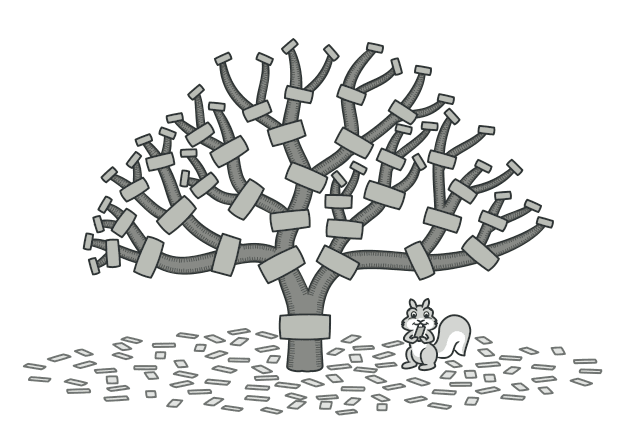
Composite 패턴
객체들을 트리 구조로 구성하여 개별 객체와 복합 객체를 동일하게 다루는 Composite 패턴을 알아봅니다.
#파일이야, 폴더야?
우리가 매일 쓰는 파일 탐색기를 생각해보자.
📁 프로젝트
├── 📁 src
│   ├── 📄 index.ts      (15KB)
│   ├── 📄 app.ts        (8KB)
│   └── 📁 components
│       ├── 📄 Button.tsx (3KB)
│       └── 📄 Modal.tsx  (5KB)
├── 📄 package.json       (2KB)
└── 📄 README.md          (1KB)
"프로젝트 폴더의 총 용량은?"이라고 물으면 어떻게 계산할까?
각 파일의 용량을 더하면 된다. 폴더 안에 폴더가 있으면 재귀적으로 들어가서 다 더한다.
여기서 핵심은 — 파일이든 폴더든 "용량을 알려줘"라는 요청을 똑같이 처리할 수 있다는 것이다.
파일은 자신의 용량을, 폴더는 자식들의 용량 합을 반환한다.
이것이 Composite 패턴의 핵심 아이디어다.
visible: false
Composite란?
객체들을 트리 구조로 구성하여, 개별 객체(Leaf)와 복합 객체(Composite)를 클라이언트가 동일하게 다룰 수 있게 하는 패턴
쉽게 말하면,
- 파일(Leaf): 자기 혼자, 더 이상 자식이 없음
- 폴더(Composite): 파일이나 다른 폴더를 자식으로 가짐
- 둘 다 같은 인터페이스를 구현
visible: false
코드로 보기
파일 시스템 예시
// Component — 공통 인터페이스
interface FileSystemNode {
  getName(): string;
  getSize(): number;
  print(indent?: string): void;
}

// Leaf — 파일
class File implements FileSystemNode {
  constructor(
    private name: string,
    private size: number,
  ) {}

  getName(): string {
    return this.name;
  }

  getSize(): number {
    return this.size;
  }

  print(indent = "") {
    console.log(`${indent}📄 ${this.name} (${this.size}KB)`);
  }
}

// Composite — 폴더
class Folder implements FileSystemNode {
  private children: FileSystemNode[] = [];

  constructor(private name: string) {}

  add(node: FileSystemNode): this {
    this.children.push(node);
    return this;
  }

  remove(node: FileSystemNode) {
    this.children = this.children.filter((child) => child !== node);
  }

  getName(): string {
    return this.name;
  }

  // 💡 자식들의 크기를 재귀적으로 합산
  getSize(): number {
    return this.children.reduce((total, child) => total + child.getSize(), 0);
  }

  print(indent = "") {
    console.log(`${indent}📁 ${this.name} (${this.getSize()}KB)`);
    this.children.forEach((child) => child.print(indent + "  "));
  }
}
사용
// 트리 구조 만들기
const components = new Folder("components")
  .add(new File("Button.tsx", 3))
  .add(new File("Modal.tsx", 5));

const src = new Folder("src")
  .add(new File("index.ts", 15))
  .add(new File("app.ts", 8))
  .add(components);

const project = new Folder("프로젝트")
  .add(src)
  .add(new File("package.json", 2))
  .add(new File("README.md", 1));

// 파일이든 폴더든 같은 방식으로 사용
console.log(project.getSize()); // 34KB — 전체 합산
console.log(src.getSize()); // 31KB — src 폴더만
console.log(components.getSize()); // 8KB — components만

project.print();
// 📁 프로젝트 (34KB)
//   📁 src (31KB)
//     📄 index.ts (15KB)
//     📄 app.ts (8KB)
//     📁 components (8KB)
//       📄 Button.tsx (3KB)
//       📄 Modal.tsx (5KB)
//   📄 package.json (2KB)
//   📄 README.md (1KB)
project.getSize()를 호출하면 내부적으로 재귀적 호출이 일어나면서 전체 용량을 계산한다.
클라이언트는 파일인지 폴더인지 구분할 필요 없이 getSize()만 호출하면 된다.
visible: false
더 실용적인 예시: UI 컴포넌트 트리
React 개발자라면 익숙한 구조다.
// Component 인터페이스
interface UIComponent {
  render(): string;
  getWidth(): number;
  getHeight(): number;
}

// Leaf — 단일 요소
class TextElement implements UIComponent {
  constructor(
    private text: string,
    private fontSize: number,
  ) {}

  render() {
    return `<span style="font-size:${this.fontSize}px">${this.text}</span>`;
  }

  getWidth() {
    return this.text.length * this.fontSize * 0.6;
  }

  getHeight() {
    return this.fontSize * 1.5;
  }
}

class ImageElement implements UIComponent {
  constructor(
    private src: string,
    private width: number,
    private height: number,
  ) {}

  render() {
    return `<img src="${this.src}" width="${this.width}" height="${this.height}" />`;
  }

  getWidth() {
    return this.width;
  }

  getHeight() {
    return this.height;
  }
}

// Composite — 컨테이너
class Container implements UIComponent {
  private children: UIComponent[] = [];

  constructor(
    private direction: "row" | "column" = "column",
    private padding: number = 0,
  ) {}

  add(component: UIComponent): this {
    this.children.push(component);
    return this;
  }

  render(): string {
    const childrenHtml = this.children.map((c) => c.render()).join("\n");
    return `<div style="display:flex; flex-direction:${this.direction}; padding:${this.padding}px">
  ${childrenHtml}
</div>`;
  }

  getWidth(): number {
    if (this.direction === "row") {
      // 가로 배치면 너비의 합
      return (
        this.children.reduce((sum, c) => sum + c.getWidth(), 0) +
        this.padding * 2
      );
    }
    // 세로 배치면 가장 넓은 것
    return (
      Math.max(...this.children.map((c) => c.getWidth())) + this.padding * 2
    );
  }

  getHeight(): number {
    if (this.direction === "column") {
      return (
        this.children.reduce((sum, c) => sum + c.getHeight(), 0) +
        this.padding * 2
      );
    }
    return (
      Math.max(...this.children.map((c) => c.getHeight())) + this.padding * 2
    );
  }
}
// 카드 컴포넌트 구성
const card = new Container("column", 16)
.add(new ImageElement("/avatar.png", 200, 200))
.add(new TextElement("홍길동", 20))
.add(new TextElement("Frontend Engineer", 14));
const cardList = new Container("row", 8).add(card).add(card).add(card);
console.log(cardList.render());
console.log(`전체 너비: ${cardList.getWidth()}px`);React의 JSX 트리도 본질적으로 Composite 패턴이다. <div> 안에 <span>이 있고, 그 안에 또 <div>가 있을 수 있다.
visible: false
언제 사용하면 좋을까?
-
트리 구조를 표현해야 할 때
- 파일 시스템, 조직도, 메뉴 구조, UI 컴포넌트 트리
-
개별 객체와 복합 객체를 동일하게 다루고 싶을 때
- "이게 파일인지 폴더인지 신경 쓰고 싶지 않다"
-
재귀적 구조가 필요할 때
- 전체 크기 계산, 전체 렌더링, 전체 검색 등
실무 예시
- React 컴포넌트 트리 — 컴포넌트 안에 컴포넌트가 중첩
- 메뉴/네비게이션 — 메뉴 아이템 + 서브메뉴
- 그래픽 에디터 — 도형 + 그룹(여러 도형을 묶은 것)
- 가격 계산 — 단일 상품 + 번들 상품(여러 상품 묶음)
visible: false
장단점
| 장점 | 단점 |
|---|---|
| 복잡한 트리 구조를 단순하게 다룸 | 공통 인터페이스가 제한적일 수 있음 |
| 새로운 요소 추가가 쉬움 (OCP) | Leaf와 Composite의 차이가 모호해짐 |
| 재귀적 처리가 자연스러움 | 특정 타입만 자식으로 허용하기 어려움 |
visible: false
정리하며
Composite는 트리 구조에서 부분과 전체를 동일하게 다루는 패턴이다.
핵심을 한 줄로 요약하면,
"하나든 묶음이든 같은 방식으로 다뤄라"
프론트엔드 개발자라면 이미 매일 Composite를 쓰고 있다. React의 컴포넌트 트리가 바로 Composite 패턴이기 때문이다.
다음 글에서는 기존 객체에 새로운 기능을 동적으로 추가하는 Decorator 패턴을 알아보겠다.
visible: false
#Reference
Refactoring Guru - Composite
refactoring.guru