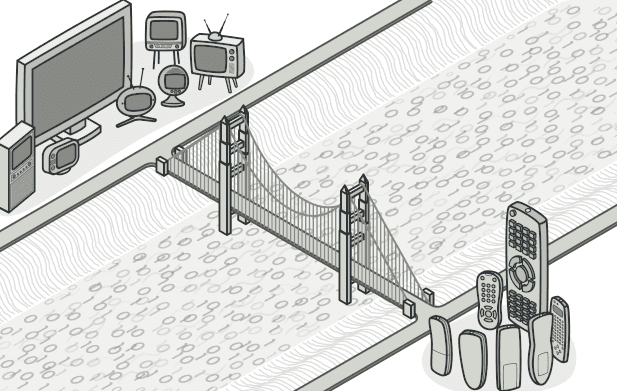
Bridge 패턴
추상화와 구현을 분리하여 독립적으로 확장하는 Bridge 패턴을 알아봅니다.
#클래스가 폭발한다
알림 시스템을 만든다고 해보자.
알림 종류: 일반 알림, 긴급 알림
전송 채널: 이메일, SMS, Slack
상속으로 구현하면?
Notification
├── EmailNotification
│   ├── UrgentEmailNotification
│   └── NormalEmailNotification
├── SMSNotification
│   ├── UrgentSMSNotification
│   └── NormalSMSNotification
└── SlackNotification
    ├── UrgentSlackNotification
    └── NormalSlackNotification
6개 클래스. 여기서 카카오톡 채널이 추가되면? 2개 더. 푸시 알림이 추가되면? 2개 더.
알림 종류에 경고 알림이 추가되면? 채널 수 × 1개씩 추가.

이렇게 두 개의 독립적인 차원(종류 × 채널)이 상속 하나로 합쳐지면 클래스가 기하급수적으로 늘어난다.
Bridge 패턴은 이 문제를 해결한다.
visible: false
Bridge란?
추상화(Abstraction)와 구현(Implementation)을 분리하여 각각 독립적으로 확장할 수 있게 하는 패턴
"종류"와 "채널"을 별도의 계층으로 분리하고, 다리(Bridge) 로 연결하는 것이다.
[알림 종류]  ←— Bridge(참조) —→  [전송 채널]
  일반                              이메일
  긴급                              SMS
  경고                              Slack
                                    카카오톡
종류 3개 × 채널 4개 = 조합 12가지인데, 클래스는 3 + 4 = 7개면 된다.
visible: false
코드로 보기
Before: 상속으로 모든 조합 구현
// 조합마다 클래스가 필요하다...
class UrgentEmailNotification {
  /* ... */
}
class UrgentSMSNotification {
  /* ... */
}
class UrgentSlackNotification {
  /* ... */
}
class NormalEmailNotification {
  /* ... */
}
class NormalSMSNotification {
  /* ... */
}
class NormalSlackNotification {
  /* ... */
}
// 🤯 새 채널 추가할 때마다 클래스가 계속 늘어난다
After: Bridge 패턴 적용
// 1. Implementation — 전송 채널 (구현부)
interface MessageSender {
  send(title: string, body: string, recipient: string): void;
}

class EmailSender implements MessageSender {
  send(title: string, body: string, recipient: string) {
    console.log(`📧 이메일 → ${recipient}`);
    console.log(`   제목: ${title}`);
    console.log(`   내용: ${body}`);
  }
}

class SMSSender implements MessageSender {
  send(title: string, body: string, recipient: string) {
    console.log(`📱 SMS → ${recipient}`);
    console.log(`   ${title}: ${body}`);
  }
}

class SlackSender implements MessageSender {
  send(title: string, body: string, recipient: string) {
    console.log(`💬 Slack → #${recipient}`);
    console.log(`   *${title}*\n   ${body}`);
  }
}

// 2. Abstraction — 알림 종류 (추상부)
abstract class Notification {
  // 💡 Bridge: 구현부를 참조로 가지고 있다
  constructor(protected sender: MessageSender) {}

  abstract notify(recipient: string, message: string): void;
}

// 3. Refined Abstractions — 알림 종류 확장
class NormalNotification extends Notification {
  notify(recipient: string, message: string) {
    this.sender.send("알림", message, recipient);
  }
}

class UrgentNotification extends Notification {
  notify(recipient: string, message: string) {
    // 긴급 알림은 제목에 강조 + 3번 반복 전송
    const urgentMessage = `🚨 [긴급] ${message}`;
    this.sender.send("긴급 알림", urgentMessage, recipient);
    this.sender.send("긴급 알림 (2차)", urgentMessage, recipient);
    this.sender.send("긴급 알림 (3차)", urgentMessage, recipient);
  }
}

class ScheduledNotification extends Notification {
  constructor(
    sender: MessageSender,
    private scheduledTime: Date,
  ) {
    super(sender);
  }

  notify(recipient: string, message: string) {
    console.log(`⏰ ${this.scheduledTime.toISOString()}에 발송 예정`);
    this.sender.send("예약 알림", message, recipient);
  }
}
사용
// 종류와 채널을 자유롭게 조합!
const urgentEmail = new UrgentNotification(new EmailSender());
urgentEmail.notify("user@email.com", "서버 다운");

const normalSlack = new NormalNotification(new SlackSender());
normalSlack.notify("dev-team", "배포 완료");

const scheduledSms = new ScheduledNotification(
  new SMSSender(),
  new Date("2026-03-24T09:00:00"),
);
scheduledSms.notify("010-1234-5678", "내일 회의 있습니다");
카카오톡 채널을 추가하고 싶으면? KakaoSender만 만들면 된다. 기존 코드 수정 0.
경고 알림을 추가하고 싶으면? WarningNotification만 만들면 된다. 마찬가지로 기존 코드 수정 0.
visible: false
Bridge vs Strategy?
"이거 Strategy 패턴이랑 뭐가 다른가?" 라는 생각이 들 수 있다.
둘 다 인터페이스를 통해 구현을 교체한다. 하지만 의도가 다르다.
| Bridge | Strategy | |
|---|---|---|
| 목적 | 추상화와 구현을 분리하여 독립적으로 확장 | 알고리즘을 교체 가능하게 |
| 구조 | 두 계층 모두 확장됨 | 컨텍스트는 고정, 전략만 교체 |
| 설계 시점 | 설계 초기에 구조를 나눔 | 기존 코드에 유연성을 추가 |
| 비유 | 리모컨(추상) + TV(구현) | 네비앱에서 경로 알고리즘 변경 |
visible: false
언제 사용하면 좋을까?
-
두 개 이상의 독립적인 변화 축이 있을 때
- 알림(종류 × 채널), UI(테마 × 플랫폼) 등
-
클래스 계층이 폭발적으로 늘어날 것 같을 때
- M × N 조합이 되려는 순간 Bridge를 고려
-
런타임에 구현을 교체해야 할 때
- 이메일에서 Slack으로 채널을 바꾸는 등
-
플랫폼 독립적인 코드를 작성할 때
- React Native에서 iOS/Android 렌더링 분리
visible: false
장단점
| 장점 | 단점 |
|---|---|
| 클래스 폭발 방지 (M×N → M+N) | 초기 설계가 복잡할 수 있음 |
| 추상화와 구현을 독립적으로 확장 | 단일 변화 축이면 오버엔지니어링 |
| 런타임에 구현 교체 가능 | 간접 참조가 늘어남 |
| OCP 준수 |
visible: false
정리하며
Bridge는 두 차원의 변화를 분리해서 독립적으로 확장하는 패턴이다.
핵심을 한 줄로 요약하면,
"상속 대신 조합으로, 종류와 구현을 분리해라"
"이 클래스 계층, 왠지 M×N으로 늘어나겠는데?" 하는 느낌이 오면 Bridge를 떠올리자.
다음 글에서는 객체들을 트리 구조로 구성하는 Composite 패턴을 알아보겠다.
visible: false
#Reference
Refactoring Guru - Bridge
refactoring.guru