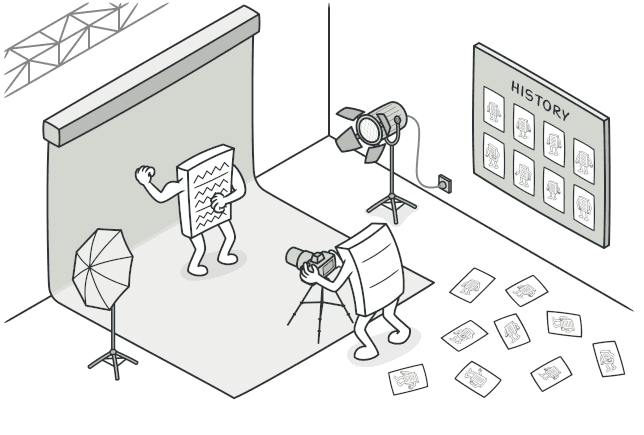
Memento 패턴
객체의 상태를 캡슐화를 깨뜨리지 않고 저장하고 복원하는 Memento 패턴을 알아봅니다.
#보스전 앞에서 세이브하는 이유
게임을 해본 사람이라면 누구나 이 루틴을 알고 있다.
- 보스방 앞에 도착한다
- 세이브한다 (필수)
- 보스에게 돌진한다
- 죽는다
- 로드한다
- 3번으로 돌아간다

이 세이브/로드 시스템이 바로 오늘 다룰 Memento 패턴의 본질이다. 현재 상태를 어딘가에 저장해두고, 필요할 때 그 시점으로 되돌리는 것.
코드에서도 이런 상황은 흔하다. 텍스트 에디터의 Ctrl+Z, Git의 커밋, 브라우저의 뒤로가기 — 전부 "이전 상태로 되돌리기"다.
visible: false
Memento란?
객체의 내부 상태를 캡슐화를 위반하지 않고 캡처하여 저장하고, 나중에 해당 상태로 복원할 수 있게 하는 패턴
핵심 키워드는 캡슐화를 위반하지 않고다. 객체의 private 필드를 외부에 노출하지 않으면서도 상태를 저장할 수 있어야 한다.
세 가지 역할이 등장한다.
- Originator — 상태를 가진 원본 객체. 스냅샷을 생성하고 복원한다
- Memento — 상태 스냅샷. 불변 객체로, Originator만 내용을 읽을 수 있다
- Caretaker — Memento를 보관하는 관리자. 내용은 모르고 저장/전달만 한다
visible: false
코드로 보기
텍스트 에디터 with Undo
가장 직관적인 예시인 텍스트 에디터의 Undo 기능을 구현해보자.
// Memento — 에디터 상태 스냅샷
class EditorSnapshot {
  private readonly content: string;
  private readonly cursorPosition: number;
  private readonly selectionStart: number | null;
  private readonly selectionEnd: number | null;
  private readonly timestamp: Date;

  constructor(
    content: string,
    cursorPosition: number,
    selectionStart: number | null,
    selectionEnd: number | null,
  ) {
    this.content = content;
    this.cursorPosition = cursorPosition;
    this.selectionStart = selectionStart;
    this.selectionEnd = selectionEnd;
    this.timestamp = new Date();
  }

  // Originator만 접근하도록 의도된 메서드들
  getContent(): string {
    return this.content;
  }

  getCursorPosition(): number {
    return this.cursorPosition;
  }

  getSelectionStart(): number | null {
    return this.selectionStart;
  }

  getSelectionEnd(): number | null {
    return this.selectionEnd;
  }

  getTimestamp(): Date {
    return this.timestamp;
  }

  // Caretaker가 표시용으로만 사용
  getDescription(): string {
    const preview = this.content.slice(0, 30);
    return `[${this.timestamp.toLocaleTimeString()}] "${preview}${this.content.length > 30 ? "..." : ""}"`;
  }
}
// Originator — 텍스트 에디터
class TextEditor {
private content: string = "";
private cursorPosition: number = 0;
private selectionStart: number | null = null;
private selectionEnd: number | null = null;
// 텍스트 입력
type(text: string): void {
const before = this.content.slice(0, this.cursorPosition);
const after = this.content.slice(this.cursorPosition);
this.content = before + text + after;
this.cursorPosition += text.length;
this.clearSelection();
}
// 텍스트 삭제
deleteSelection(): void {
if (this.selectionStart !== null && this.selectionEnd !== null) {
const before = this.content.slice(0, this.selectionStart);
const after = this.content.slice(this.selectionEnd);
this.content = before + after;
this.cursorPosition = this.selectionStart;
this.clearSelection();
}
}
// 커서 이동
moveCursor(position: number): void {
this.cursorPosition = Math.max(0, Math.min(position, this.content.length));
}
// 선택 영역 설정
select(start: number, end: number): void {
this.selectionStart = start;
this.selectionEnd = end;
}
private clearSelection(): void {
this.selectionStart = null;
this.selectionEnd = null;
}
// ⭐ 스냅샷 생성 (save)
save(): EditorSnapshot {
return new EditorSnapshot(
this.content,
this.cursorPosition,
this.selectionStart,
this.selectionEnd,
);
}
// ⭐ 스냅샷 복원 (restore)
restore(snapshot: EditorSnapshot): void {
this.content = snapshot.getContent();
this.cursorPosition = snapshot.getCursorPosition();
this.selectionStart = snapshot.getSelectionStart();
this.selectionEnd = snapshot.getSelectionEnd();
}
getContent(): string {
return this.content;
}
}// Caretaker — Undo/Redo 히스토리 관리자
class EditorHistory {
private undoStack: EditorSnapshot[] = [];
private redoStack: EditorSnapshot[] = [];
// 현재 상태를 저장
push(snapshot: EditorSnapshot): void {
this.undoStack.push(snapshot);
this.redoStack = []; // 새 액션이 발생하면 redo 스택 초기화
}
// Undo — 이전 스냅샷 반환
undo(): EditorSnapshot | null {
const snapshot = this.undoStack.pop();
if (snapshot) {
this.redoStack.push(snapshot);
}
return snapshot ?? null;
}
// Redo — 되돌린 스냅샷 다시 적용
redo(): EditorSnapshot | null {
const snapshot = this.redoStack.pop();
if (snapshot) {
this.undoStack.push(snapshot);
}
return snapshot ?? null;
}
// 히스토리 목록 표시
showHistory(): void {
console.log("📚 히스토리:");
this.undoStack.forEach((s, i) => {
console.log(` ${i + 1}. ${s.getDescription()}`);
});
}
}사용해보기
const editor = new TextEditor();
const history = new EditorHistory();

// 편집 시작
history.push(editor.save()); // 빈 상태 저장
editor.type("Hello, World!");
console.log(editor.getContent()); // "Hello, World!"

history.push(editor.save()); // "Hello, World!" 저장
editor.type(" Welcome to TypeScript.");
console.log(editor.getContent()); // "Hello, World! Welcome to TypeScript."

history.push(editor.save()); // 현재 상태 저장
editor.type(" Let's learn Memento Pattern!");
console.log(editor.getContent());
// "Hello, World! Welcome to TypeScript. Let's learn Memento Pattern!"

// ⭐ Ctrl+Z! Undo!
const snapshot = history.undo();
if (snapshot) {
  editor.restore(snapshot);
}
console.log(editor.getContent());
// "Hello, World! Welcome to TypeScript."

// 한 번 더 Undo
const snapshot2 = history.undo();
if (snapshot2) {
  editor.restore(snapshot2);
}
console.log(editor.getContent());
// "Hello, World!"

// Ctrl+Shift+Z! Redo!
const snapshot3 = history.redo();
if (snapshot3) {
  editor.restore(snapshot3);
}
console.log(editor.getContent());
// "Hello, World! Welcome to TypeScript."
Caretaker인 EditorHistory는 EditorSnapshot의 내부 데이터에 대해 전혀 모른다. 그냥 스택에 넣고 빼기만 할 뿐이다. 상태의 저장과 복원은 오직 TextEditor(Originator)만 한다. 이것이 캡슐화를 지키는 핵심이다.

visible: false
실전에서 만나는 Memento
사실 Memento 패턴은 우리가 매일 쓰는 곳에 숨어있다.
1. Ctrl+Z — 모든 에디터의 Undo
VS Code에서 코드를 쓰다가 Ctrl+Z를 누르면, 이전 스냅샷으로 복원된다. 위에서 구현한 것과 동일한 원리다.
2. Git 커밋
git commit -m "보스전 앞 세이브"
# ... 코드를 마구 수정 ...
git checkout .  # 로드!
Git의 각 커밋이 프로젝트 전체의 스냅샷(Memento)이고, Git 자체가 Caretaker다.
3. 브라우저 히스토리
// 브라우저의 history API도 Memento 패턴
history.pushState({ page: 1 }, "title", "/page1"); // 상태 저장
history.back(); // 이전 상태로 복원

window.addEventListener("popstate", (event) => {
  // event.state가 바로 Memento!
  console.log("복원된 상태:", event.state);
});
4. 직렬화를 활용한 간단한 구현
실무에서는 전체 객체를 deep clone하는 방식으로 간단하게 구현하기도 한다.
class SimpleMemento<T> {
  private readonly state: string;
  private readonly timestamp: Date;

  constructor(state: T) {
    this.state = JSON.stringify(state); // 직렬화로 깊은 복사
    this.timestamp = new Date();
  }

  getState(): T {
    return JSON.parse(this.state);
  }

  getTimestamp(): Date {
    return this.timestamp;
  }
}

// 사용
class FormState {
  private history: SimpleMemento<Record<string, any>>[] = [];

  save(formData: Record<string, any>): void {
    this.history.push(new SimpleMemento(formData));
  }

  undo(): Record<string, any> | null {
    this.history.pop(); // 현재 상태 버리기
    const prev = this.history[this.history.length - 1];
    return prev?.getState() ?? null;
  }
}
visible: false
Command 패턴과 뭐가 다른가?
이 질문은 정말 많이 나온다. 둘 다 "되돌리기"와 관련이 있기 때문이다.
| 구분 | Command | Memento |
|---|---|---|
| 저장하는 것 | 연산(Operation) | 상태(State) |
| Undo 방식 | 역연산을 실행 | 이전 스냅샷으로 교체 |
| 예시 | "x를 5만큼 이동" → Undo: "x를 -5만큼 이동" | "x의 위치는 (10, 20)" → 복원 |
| 메모리 | 가벼움 (연산만 기록) | 무거울 수 있음 (전체 상태 기록) |
| 복잡도 | 역연산 구현이 어려울 수 있음 | 구현은 단순하지만 메모리 사용량 주의 |
간단히 말해서,
- Command는 "뭘 했는지"를 기록하고, 반대로 실행해서 되돌린다
- Memento는 "어땠는지"를 기록하고, 그 상태로 통째로 교체한다
두 패턴을 조합해서 쓰기도 한다. Command로 연산을 기록하되, 역연산이 복잡한 경우에는 Memento로 상태 스냅샷을 함께 저장하는 식이다.
visible: false
언제 사용하면 좋을까?
-
객체의 이전 상태를 복원할 수 있어야 할 때
- Undo/Redo, 트랜잭션 롤백, 체크포인트
-
객체의 캡슐화를 깨지 않고 상태를 저장하고 싶을 때
- getter로 모든 필드를 노출하지 않고도 스냅샷 가능
-
상태의 스냅샷이 필요한데, 역연산을 구현하기 어려울 때
- Command 패턴의 Undo가 너무 복잡할 때 대안으로
visible: false
장단점
| 장점 | 단점 |
|---|---|
| 캡슐화를 위반하지 않고 상태 저장 가능 | 상태가 클 경우 메모리를 많이 소모 |
| Originator 코드를 단순하게 유지 | 스냅샷 생성/복원 비용이 클 수 있음 |
| 스냅샷 히스토리 관리가 직관적 | Caretaker가 Memento 생명주기를 관리해야 함 |
특히 메모리 문제는 실무에서 중요하다. 스냅샷 개수에 제한을 두거나, 변경된 부분만 저장하는 증분 스냅샷(Incremental Snapshot) 방식을 고려해야 한다.
visible: false
정리하며
Memento는 객체의 상태를 스냅샷으로 저장하고 복원하는 패턴이다.
핵심을 한 줄로 요약하면,
"세이브 포인트를 만들어라. 그리고 언제든 돌아갈 수 있게 하라."
보스전 앞에서 세이브 안 하고 돌진하는 건 용감한 게 아니라 무모한 것이다. 코드도 마찬가지다. 되돌릴 수 없는 작업 앞에서는 항상 스냅샷을 남기자.

visible: false
#Reference
Refactoring Guru - Memento
refactoring.guru