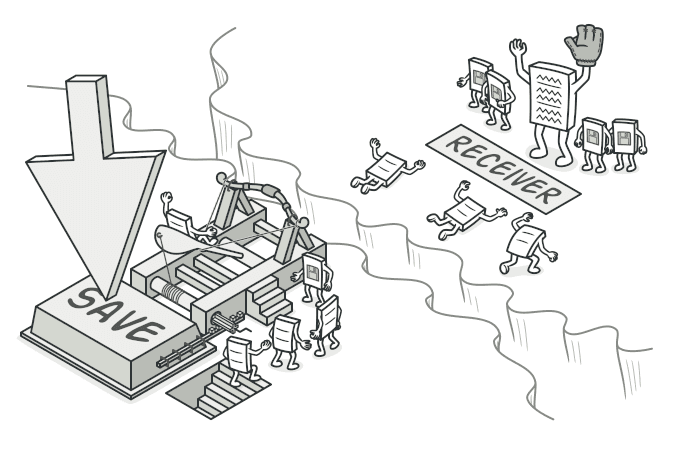
Command 패턴
요청을 객체로 캡슐화하여 실행, 취소, 재실행을 가능하게 하는 Command 패턴을 알아봅니다.
#Ctrl+Z가 없는 세상을 상상해보자
텍스트 에디터를 만든다고 해보자.
사용자가 텍스트를 입력하고, 볼드도 하고, 삭제도 한다. 그런데 어느 날 PM이 말한다.
"Undo/Redo 기능 추가해주세요 😊"
어떻게 할 것인가?
방금 실행한 동작을 되돌리려면, 애초에 그 동작이 뭐였는지 기록해야 한다.
그런데 동작이 함수 호출이면? 함수 호출을 기록할 수는 없다.

이때 등장하는 것이 Command 패턴이다. 함수 호출을 객체로 만들어서 저장하고, 되돌리고, 다시 실행할 수 있게 해준다.
visible: false
Command란?
요청(동작)을 독립된 객체로 캡슐화하여, 요청의 매개변수화, 큐잉, 로깅, 실행 취소를 가능하게 하는 패턴
쉽게 말하면, "행동을 데이터로 바꾸는 것" 이다.
식당을 떠올려보자.
- 손님이 주문을 한다
- 웨이터가 주문서(슬립) 에 적는다
- 주문서를 주방에 전달한다
- 요리사가 주문서를 보고 요리한다
여기서 웨이터는 요리를 하지 않는다. 주문서라는 객체를 만들어서 전달할 뿐이다. 주문서는 대기열에 넣을 수도 있고, 취소할 수도 있다.
Command 패턴이 정확히 이것이다.
[클라이언트] → [주문서(Command)] → [요리사(Receiver)]
                    ↕
              [대기열 / 히스토리]
visible: false
코드로 보기
텍스트 에디터 — Undo/Redo 구현
Before/After를 비교해보자.
Before: Command 패턴 없이
class TextEditor {
  private content = "";

  bold(text: string) {
    this.content += `<b>${text}</b>`;
  }

  insert(text: string) {
    this.content += text;
  }

  delete(count: number) {
    this.content = this.content.slice(0, -count);
  }

  // Undo를 어떻게 구현하지...?
  // 각 동작마다 되돌리는 로직을 따로 짜야 한다
  // 동작이 추가될 때마다 undo 로직도 추가...
  // 😱
}
모든 동작에 대해 일일이 되돌리기 로직을 짜야 하고, 새 기능이 추가될 때마다 undo 코드도 같이 수정해야 한다. 끔찍하다.
After: Command 패턴 적용
// Command 인터페이스
interface Command {
  execute(): void;
  undo(): void;
}

// Receiver — 실제 작업을 수행하는 객체
class TextDocument {
  private content = "";

  getContent() {
    return this.content;
  }

  insertAt(position: number, text: string) {
    this.content =
      this.content.slice(0, position) + text + this.content.slice(position);
  }

  deleteRange(position: number, length: number): string {
    const deleted = this.content.slice(position, position + length);
    this.content =
      this.content.slice(0, position) + this.content.slice(position + length);
    return deleted;
  }
}
각 동작을 Command 객체로 만든다.
// Concrete Command: 텍스트 삽입
class InsertCommand implements Command {
  constructor(
    private document: TextDocument,
    private position: number,
    private text: string,
  ) {}

  execute() {
    this.document.insertAt(this.position, this.text);
  }

  undo() {
    this.document.deleteRange(this.position, this.text.length);
  }
}

// Concrete Command: 텍스트 삭제
class DeleteCommand implements Command {
  private deletedText = "";

  constructor(
    private document: TextDocument,
    private position: number,
    private length: number,
  ) {}

  execute() {
    // 삭제할 텍스트를 저장해둔다 (undo를 위해)
    this.deletedText = this.document.deleteRange(this.position, this.length);
  }

  undo() {
    this.document.insertAt(this.position, this.deletedText);
  }
}

// Concrete Command: 볼드 처리
class BoldCommand implements Command {
  private originalText = "";

  constructor(
    private document: TextDocument,
    private position: number,
    private length: number,
  ) {}

  execute() {
    this.originalText = this.document
      .getContent()
      .slice(this.position, this.position + this.length);
    this.document.deleteRange(this.position, this.length);
    this.document.insertAt(this.position, `<b>${this.originalText}</b>`);
  }

  undo() {
    // <b></b> 태그 길이만큼 제거하고 원본 복원
    this.document.deleteRange(this.position, this.originalText.length + 7);
    this.document.insertAt(this.position, this.originalText);
  }
}
이제 Invoker가 커맨드들을 관리한다.
// Invoker — 커맨드를 실행하고 히스토리를 관리
class TextEditor {
  private history: Command[] = [];
  private undone: Command[] = [];

  constructor(private document: TextDocument) {}

  execute(command: Command) {
    command.execute();
    this.history.push(command);
    this.undone = []; // 새 동작을 하면 redo 히스토리 초기화
  }

  undo() {
    const command = this.history.pop();
    if (!command) return;

    command.undo();
    this.undone.push(command);
  }

  redo() {
    const command = this.undone.pop();
    if (!command) return;

    command.execute();
    this.history.push(command);
  }

  getContent() {
    return this.document.getContent();
  }
}
실행해보기
const doc = new TextDocument();
const editor = new TextEditor(doc);

// 텍스트 입력
editor.execute(new InsertCommand(doc, 0, "Hello World"));
console.log(doc.getContent()); // "Hello World"

// 볼드 처리
editor.execute(new BoldCommand(doc, 0, 5));
console.log(doc.getContent()); // "<b>Hello</b> World"

// Undo! 볼드 취소
editor.undo();
console.log(doc.getContent()); // "Hello World"

// Undo! 텍스트 입력도 취소
editor.undo();
console.log(doc.getContent()); // ""

// Redo! 다시 복원
editor.redo();
console.log(doc.getContent()); // "Hello World"
각 동작이 객체이기 때문에 저장, 취소, 재실행이 자연스럽게 가능해진다.

visible: false
실무에서 만나는 Command 패턴
Command 패턴은 생각보다 다양한 곳에서 쓰인다.
1. 트랜잭션 시스템
interface Transaction extends Command {
  execute(): void;
  undo(): void;
}

class TransferMoney implements Transaction {
  constructor(
    private from: Account,
    private to: Account,
    private amount: number,
  ) {}

  execute() {
    this.from.withdraw(this.amount);
    this.to.deposit(this.amount);
  }

  undo() {
    this.to.withdraw(this.amount);
    this.from.deposit(this.amount);
  }
}

// 여러 트랜잭션을 묶어서 실행 & 롤백
class TransactionManager {
  private executed: Transaction[] = [];

  run(transaction: Transaction) {
    try {
      transaction.execute();
      this.executed.push(transaction);
    } catch (error) {
      // 실패하면 지금까지 실행한 것 모두 롤백
      this.rollbackAll();
      throw error;
    }
  }

  private rollbackAll() {
    while (this.executed.length > 0) {
      const tx = this.executed.pop()!;
      tx.undo();
    }
  }
}
트랜잭션을 객체로 만들면 롤백이 깔끔해진다.
2. 태스크 큐 / 지연 실행
class TaskQueue {
  private queue: Command[] = [];
  private isProcessing = false;

  add(command: Command) {
    this.queue.push(command);
    if (!this.isProcessing) {
      this.process();
    }
  }

  private async process() {
    this.isProcessing = true;

    while (this.queue.length > 0) {
      const command = this.queue.shift()!;
      command.execute();
    }

    this.isProcessing = false;
  }
}

// 사용
const queue = new TaskQueue();
queue.add(new SendEmailCommand(user, "Welcome!"));
queue.add(new CreateNotificationCommand(user, "가입 완료"));
queue.add(new LogAnalyticsCommand("user_signup", user.id));
커맨드를 큐에 넣고 나중에 실행할 수 있다. 이것이 태스크 큐의 기본 원리다.
3. 키보드 단축키 매핑
class ShortcutManager {
  private shortcuts = new Map<string, Command>();

  register(key: string, command: Command) {
    this.shortcuts.set(key, command);
  }

  handleKeyPress(key: string) {
    const command = this.shortcuts.get(key);
    if (command) {
      command.execute();
    }
  }
}

// 같은 동작을 버튼, 단축키, 메뉴에서 재사용
const copyCommand = new CopyCommand(editor);

shortcutManager.register("Ctrl+C", copyCommand);
toolbar.addButton("복사", copyCommand);
contextMenu.addItem("복사", copyCommand);
단축키, 버튼, 메뉴가 같은 Command 객체를 공유한다. 동작을 한 곳에서 정의하고 여러 UI에서 재사용할 수 있다.
visible: false
언제 사용하면 좋을까?
-
Undo/Redo가 필요할 때
- 텍스트 에디터, 그래픽 에디터, 폼 입력 등
-
동작을 큐에 넣거나 예약 실행하고 싶을 때
- 태스크 큐, 작업 스케줄러, 배치 처리
-
동일한 동작을 여러 트리거에서 실행할 때
- 메뉴, 단축키, 버튼이 같은 기능을 실행
-
트랜잭션 롤백이 필요할 때
- 여러 단계를 묶어서 실패 시 전체 되돌리기
visible: false
장단점
| 장점 | 단점 |
|---|---|
| Undo/Redo 구현이 깔끔해짐 | 간단한 동작에도 클래스가 많아짐 |
| 동작의 큐잉, 로깅, 직렬화가 쉬움 | 코드가 한 단계 더 간접적이 됨 |
| SRP — Invoker와 Receiver가 분리됨 | Command 객체가 상태를 들고 있으면 메모리 사용 증가 |
| 동작을 여러 UI에서 재사용 가능 | 단순한 경우 오버엔지니어링이 될 수 있음 |
visible: false
정리하며
Command 패턴은 행동을 객체로 바꾸는 패턴이다.
식당 비유로 정리하면,
- 손님 = 클라이언트 (요청을 만드는 쪽)
- 주문서 = Command (요청을 캡슐화한 객체)
- 웨이터 = Invoker (커맨드를 실행/관리하는 쪽)
- 요리사 = Receiver (실제 작업을 하는 쪽)
웨이터는 요리하지 않는다. 주문서를 전달할 뿐이다. 주문서는 취소할 수도 있고, 대기열에 넣을 수도 있다.
핵심을 한 줄로 요약하면,
"행동을 객체로 만들면, 저장하고 되돌리고 재실행할 수 있다"
Ctrl+Z를 누를 때마다 이 패턴이 동작하고 있다는 걸 기억하자.
visible: false
#Reference
Refactoring Guru - Command
refactoring.guru